Why pick an Industrial Computer for your business?
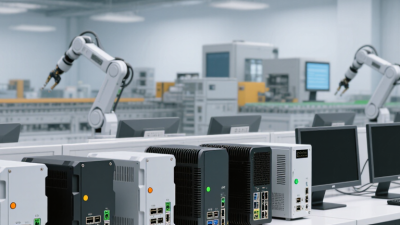
An industrial computer isn't meant for a tidy office desk. It's built for places where things get messy—next to a conveyor, a machine tool, or an outdoor control cabinet. Dust, vibration, heat, and electrical noise can all push ordinary commercial hardware around. Industrial systems are made to handle that kind of environment more reliably. A lot of models run across wide temperature ranges and use fanless cooling. Some come with sealed enclosures, DIN-rail mounting, or IP-rated protection.
Reliability really matters when one computer is watching production data or a vision inspection line. If it suddenly dies, equipment stops, orders get delayed, and maintenance costs climb. Industrial computer platforms often come with long product lifecycles, which helps you avoid swapping hardware every time software gets refreshed. They can also give you multiple serial ports, Ethernet connections, digital inputs, and expansion options. Those details matter when you're connecting older controllers or newer sensors.
That said, choosing the right one still takes some careful judgment. No device is perfect. A rugged case won't fix bad network design or weak maintenance planning. Buyers should check operating temperatures, vibration ratings, certifications, processor performance, and vendor support. It's also smart to test the computer with the actual cameras, PLCs, and software before deployment. A factory floor will reveal problems a showroom never will. Budget pressure can tempt you into shortcuts, but the cheapest computer may end up costing more in downtime later. The right choice balances durability, compatibility, security, serviceability, and total ownership cost. It should support today's workflow while leaving room for future expansion. That balance isn't always easy to find, but it's worth measuring carefully.
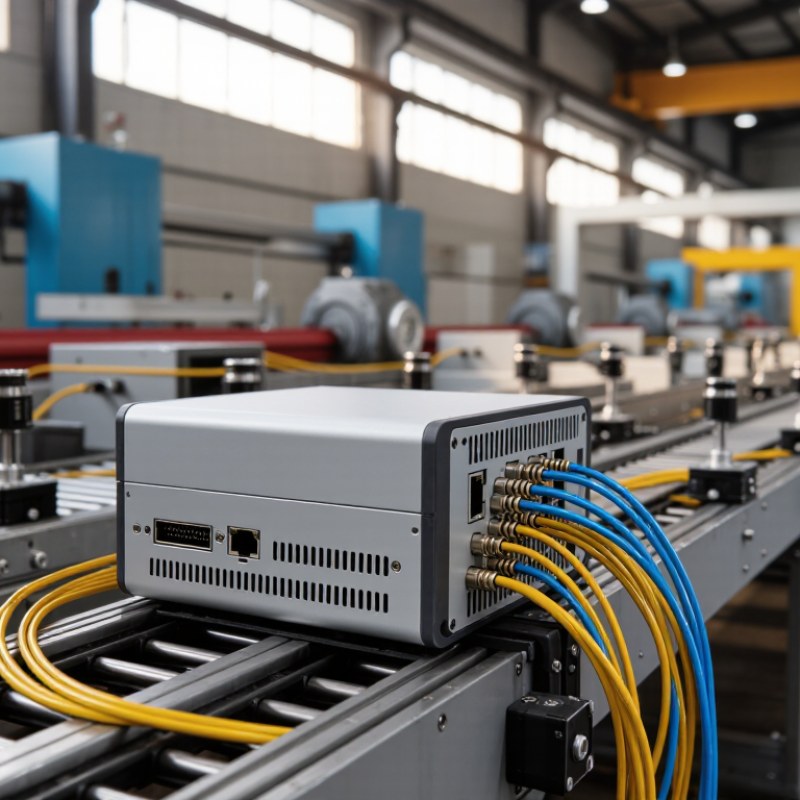
An industrial computer is a computing system designed for demanding workplaces, not ordinary office desks. It may control machines, collect sensor data, display production figures, or manage warehouse equipment. Its enclosure is often reinforced against dust, vibration, moisture, and temperature changes. Some models use fanless cooling, which reduces moving parts and limits dust intake.
It is built for stability. Industrial computers commonly provide interfaces for cameras, controllers, sensors, and older equipment. They can also support long operating periods and extended component availability. In my experience, this matters when replacing a computer could interrupt a production line. A stable system protects more than data. It protects time, labor, and operational confidence.
Still, an industrial computer is not automatically the best choice. That assumption can be wrong. A small office may gain little from its higher cost and stronger housing. Engineers should examine temperature ranges, vibration levels, software needs, communication ports, and maintenance access before selecting one. I have seen installations fail because the computer was powerful, but its connectors did not match the equipment. Careful testing under real conditions is more reliable than trusting a specification sheet alone. The right system should fit the environment, workload, and expected service life.
Why Choose an Industrial Computer for Your Business?
Commercial PCs are designed for offices, not constant vibration, dust, heat, or electrical noise. Industrial computers use reinforced housings, wider temperature ratings, and secured connectors. Many also support long product lifecycles, allowing factories to avoid frequent hardware changes. A Computer Industrial system can operate beside motors, conveyors, and control panels with fewer environmental concerns.
The difference is measurable. Uptime Institute’s 2024 Annual Outage Analysis reported that 54% of significant outages cost more than $100,000. Industrial computing cannot prevent every failure, but stronger cooling, storage, and power protection may reduce avoidable interruptions. IEC 60068 testing can evaluate vibration, shock, humidity, and temperature, although buyers must check the exact test levels. Certification alone is not proof of suitability. That detail is often missed.
Tips: Record the site temperature, dust exposure, vibration, available ports, and maintenance window before purchasing. Choose fanless cooling only when heat dissipation is properly calculated. Confirm spare-part availability and firmware support for the expected service life. A rugged enclosure may look impressive, yet poor ventilation can still damage internal components. Not always obvious. Trial testing in the real installation area remains wise, because laboratory conditions rarely reproduce every factory problem.
Industrial computers are designed for demanding environments where long operating hours, temperature variation, vibration, dust, and limited maintenance can affect system reliability. The chart compares representative operating characteristics commonly specified for industrial-grade and commercial PCs. Actual specifications vary by model.
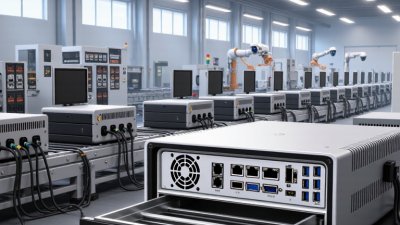
Industrial Pc Computer systems are built for conditions that ordinary office hardware rarely survives. In a plant, dust settles inside cabinets, motors create electrical noise, and temperatures change sharply. A reliable industrial computer should support wide temperature ranges, vibration resistance, fanless cooling, and secure mounting. These details matter beside a conveyor, where a loose cable can stop production.
The International Federation of Robotics reported 541,302 industrial robots were installed worldwide in 2023. That scale increases demand for stable control, vision processing, and machine connectivity. An industrial computer should provide multiple Ethernet ports, serial interfaces, isolated I/O, and support for real-time communication. Storage with error protection also helps preserve production records. Small details count.
Cybersecurity cannot be treated as an optional feature. NIST’s SP 800-82 Rev. 3 guidance stresses network segmentation, controlled access, monitoring, and secure maintenance for industrial control systems. Hardware should support trusted boot, encrypted storage, long-term software updates, and remote diagnostics. In practice, engineers still overestimate performance and underestimate maintenance. A powerful processor is useful, but easy replacement may matter more. That lesson is not always comfortable.
Industrial computers turn shop-floor data into practical business value. Their rugged enclosures, extended temperature ranges, and fanless designs support continuous operation near dust, vibration, and heat. That stability can reduce unplanned maintenance and protect production schedules. Small delays become expensive quickly.
Deloitte’s 2024 Smart Manufacturing and Operations Survey found that 86% of manufacturers view smart manufacturing as a key competitiveness driver within three years. The same report found that 83% expect productivity gains. An industrial computer supports this shift by processing sensor data locally, instead of sending every signal to a distant server. Operators can see abnormal temperatures or motor vibration beside the machine. Faster decisions may prevent larger stoppages. May is the honest word here; equipment still needs disciplined maintenance.
The International Federation of Robotics reported 541,302 industrial robots were installed worldwide in 2023. More robots require dependable computing for vision, motion coordination, and safety monitoring. A 5g Industrial Computer can also connect mobile equipment with lower latency, where suitable coverage exists. Industrial systems offer longer product lifecycles than ordinary office hardware, simplifying replacement planning and software validation. However, rugged hardware alone does not create efficiency. Poor network design, weak access controls, or untrained staff can erase the expected gains. Managers should measure downtime, energy use, and maintenance hours before deployment. Those figures make the investment easier to test, challenge, and improve.
Choosing the right industrial computer starts with the working environment, not the processor speed. A Box Industrial Computer may operate beside cutting fluids, dust, vibration, or unstable temperatures. Check the enclosure rating, operating temperature range, shock resistance, and mounting options. A factory floor is not a quiet office.
Deloitte’s 2024 Smart Manufacturing Survey reports that 92% of manufacturers view smart manufacturing as important for future competitiveness. That shift increases the need for reliable local computing. Select sufficient memory for current software, but leave expansion space for cameras, sensors, and control systems. Fanless designs can reduce dust intake, although they may require careful thermal planning. This detail is easy to overlook.
Cybersecurity also belongs in the selection process. IBM’s 2024 Cost of a Data Breach Report places the global average breach cost at 4.88 million dollars. An industrial computer should support secure boot, encrypted storage, controlled user access, and regular firmware updates. Test these functions before installation. Specifications can look impressive on paper, yet fail under real heat or vibration. Our assumptions may be wrong. A short pilot run, measured with temperature and uptime logs, often reveals more than a brochure.
| Business Requirement | Typical Industrial Computer Capability | Why It Matters | Recommended Selection Criteria |
|---|---|---|---|
| Factory-floor deployment | Operating temperature commonly rated from approximately -20°C to 60°C, with wider ranges available for specialized systems. | Helps maintain stable operation near machinery, loading areas, warehouses, and unconditioned production spaces. | Match the computer’s certified temperature range to the lowest and highest temperatures at the installation point. |
| Dust, moisture, and debris | Fanless designs and sealed enclosures may provide protection equivalent to IP ratings such as IP40, IP54, or higher, depending on the enclosure. | Reduces the risk of blocked fans, contamination, and moisture-related failures in demanding environments. | Confirm the complete system’s ingress-protection rating; the rating of an internal board alone is not sufficient. |
| Vibration and shock | Ruggedized systems are often tested for vibration around 5–500 Hz and shock levels near 15–30 g, depending on the test standard and configuration. | Supports reliable operation on production lines, mobile equipment, transportation systems, and machine-control cabinets. | Review the exact test method, duration, mounting orientation, and installed storage type. |
| Continuous operation | Designed for 24/7 operation with industrial cooling, validated components, and storage options suited to continuous workloads. | Improves uptime for monitoring, automation, networking, edge analytics, and supervisory control applications. | Check the manufacturer’s duty-cycle statement, thermal design, failure-rate data, and maintenance requirements. |
| Long product lifecycle | Industrial platforms commonly offer several years of planned availability, with long-term software and component support options. | Reduces redesign, recertification, and replacement costs for equipment expected to operate for many years. | Request a product-change notice policy, availability commitment, and replacement strategy. |
| Industrial connectivity | Configurations may include multiple Ethernet ports, serial interfaces such as RS-232/422/485, USB, digital I/O, and fieldbus expansion. | Allows direct connection to programmable controllers, sensors, drives, displays, and legacy equipment. | Count required ports, confirm protocols, and allow spare interfaces for future expansion. |
| Power instability | Many industrial systems support wide DC input ranges, commonly around 9–36 VDC or 12–48 VDC, with surge and reverse-polarity protection options. | Helps tolerate electrical conditions found in vehicles, control panels, and industrial power systems. | Measure the actual voltage range and transient conditions before selecting the input specification. |
| Real-time control and automation | Options may include deterministic operating-system support, hardware watchdogs, isolated I/O, and expansion slots for automation interfaces. | Improves response consistency and system recovery when timing and availability are important. | Verify latency requirements, watchdog behavior, interrupt support, and compatibility with the control software. |
| Storage reliability | Solid-state storage without moving parts is commonly used; RAID or redundant storage may be available for critical systems. | Reduces sensitivity to vibration and can improve data availability in edge and control applications. | Select industrial-rated storage, define write endurance needs, and plan backups or redundancy. |
| Space-constrained installation | Compact fanless systems are available in DIN-rail, wall-mount, panel-mount, and embedded form factors. | Makes it easier to install computing hardware inside control cabinets, kiosks, vehicles, and machinery. | Check enclosure dimensions, mounting method, cable clearance, heat dissipation, and service access. |
| Maintenance and serviceability | Industrial systems may provide tool-less access, replaceable storage, remote monitoring, watchdog recovery, and modular expansion. | Can shorten downtime and simplify troubleshooting across distributed installations. | Evaluate access procedures, spare-part availability, remote diagnostics, warranty coverage, and total service cost. |
Note: Specifications shown are representative industry ranges rather than universal ratings. Always verify the complete system’s environmental, electrical, mechanical, software, and compliance requirements before purchase.
Why Choose an Industrial Computer for Your Business?
Industrial Computer Applications Across Different Industries
Industrial computers support demanding work where ordinary office devices often fail. In manufacturing, they control production lines, inspect products, and collect sensor data continuously. Their sealed enclosures help protect internal parts from dust, vibration, and temperature changes. A factory technician can monitor a machine beside loud presses without carrying a separate control unit.
In transportation, these computers manage fleet tracking, ticketing, and real-time passenger information. Railway systems may use fanless units inside narrow cabinets with limited airflow. Logistics centers connect them to barcode scanners, cameras, and warehouse software. When a package moves through cold storage, stable computing remains important. Small delays can affect hundreds of deliveries.
Healthcare facilities use industrial computers for patient monitoring, medical imaging, and equipment management. These systems require dependable operation and careful data handling. Energy companies place them in substations, solar fields, and remote monitoring stations. Their wide operating temperature range supports equipment installed far from offices. Agriculture also benefits from them. They can control irrigation, greenhouse climate, and automated feeding systems.
No installation is perfect. Heat calculations may be underestimated. Maintenance access can be awkward. A reliable project needs testing under real conditions, not only clean laboratory conditions. Operators should review connection types, service procedures, and software compatibility before deployment. The best choice depends on the environment, workload, and consequences of failure. That judgment takes time.
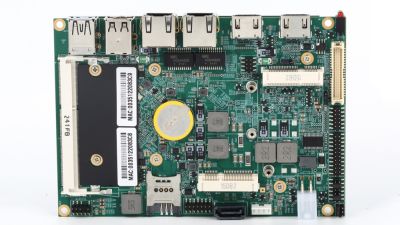
The 2024 industrial PC market outlook highlights growing demand for compact, energy-efficient computing platforms that can operate reliably in space-constrained environments. Fanless 3.5-inch x86 boards built around Baytrail-class Atom E38xx or Celeron J1900 SoCs address this need with a low power consumption of approximately 5–10W. Their compact design eliminates moving parts, helping reduce maintenance requirements, acoustic noise, and potential mechanical failures in industrial installations.
A representative board supports up to 8GB of DDR3L SO-DIMM memory, dual Gigabit Ethernet, six serial ports, multiple display interfaces, GPIO, and an mPCIe expansion slot. This combination provides the connectivity and flexibility required for industrial control systems, communication gateways, self-service terminals, and embedded monitoring equipment. For demanding environments, an optional wide-temperature version can operate from -40°C to +85°C, extending deployment possibilities beyond standard -20°C to 75°C models. Its stable performance, broad industrial I/O, and adaptable expansion architecture make it suitable for outdoor enclosures, factory automation panels, transportation systems, and other applications requiring dependable embedded computing.
It is a computing system designed for demanding workplaces. It can control machines, collect sensor data, display production figures, or manage warehouse equipment. Its enclosure often resists dust, vibration, moisture, and temperature changes. Not every model suits every site.
Commercial PCs usually serve quiet office environments. Industrial systems often include reinforced housings, secured connectors, and wider temperature ratings. They may also support longer operating periods and component availability. A stronger case alone is not enough.
It can reduce interruptions in dusty, hot, vibrating, or electrically noisy areas. Stable hardware protects production time, labor, and operational confidence. However, some small offices gain little from the extra cost. The choice requires honest comparison.
Useful features include multiple Ethernet ports, serial interfaces, isolated I/O, and secure mounting. Storage with error protection can preserve production records. Wide temperature support and vibration resistance may improve reliability. Small connectors can create large problems.
Fanless cooling reduces moving parts and limits dust intake. It can work well near conveyors, cabinets, and dusty equipment. Heat still needs a clear path away from internal components. Fanless is not automatically safer.
Record site temperature, dust exposure, vibration, available ports, and maintenance access. Check software requirements and expected service life. Confirm spare parts and firmware support before purchase. A specification sheet cannot show every factory problem.
Many systems connect with cameras, controllers, sensors, and older equipment. They may support real-time communication and several network connections. Engineers must match every connector and communication method carefully. Power is not compatibility.
Cybersecurity requires controlled access, network separation, monitoring, and secure maintenance. Useful hardware support may include trusted boot, encrypted storage, updates, and remote diagnostics. Security settings still need regular management. Hardware cannot fix careless access.
Yes. Test it in the actual installation area whenever possible. Check heat, vibration, cable fit, software behavior, and maintenance procedures. Laboratory conditions may miss loose connectors or electrical noise. I might sound overly cautious, but failed testing costs more.
An Industrial Computer is a purpose-built computing system designed to operate reliably in demanding environments where ordinary commercial PCs may struggle. Unlike standard computers, it typically offers stronger durability, wider temperature tolerance, resistance to dust and vibration, stable long-term operation, and flexible connectivity for specialized equipment. These features make it suitable for continuous industrial use, including locations with challenging physical conditions or strict operational requirements.
Deploying an Industrial Computer can improve system stability, reduce interruptions, support real-time monitoring, and lower maintenance costs over the long term. When selecting a suitable model, businesses should consider processing performance, environmental protection, expansion options, connectivity, installation space, software compatibility, and future scalability. Industrial computers can support many fields, including manufacturing, transportation, energy management, logistics, healthcare, retail automation, and infrastructure monitoring. By matching the computer’s design and capabilities to specific operational needs, organizations can build more dependable, efficient, and manageable technology systems.