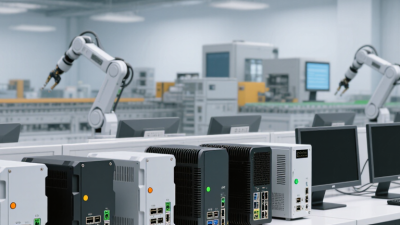
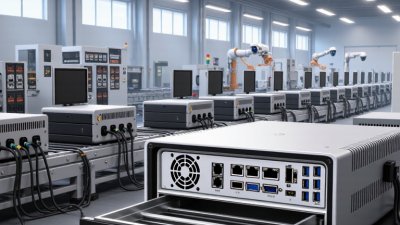
Picking the right industrial PC is really an engineering call, not just something you check off on a purchase order. Think about factory heat, vibration, dust, software compatibility, and whether anyone can actually get to it for maintenance. Those things can make a weak spec sheet fall apart fast. A PC that runs great in a clean office might struggle—or die—right next to a stamping press or conveyor motor.
And there’s market evidence for why this matters. MarketsandMarkets has projected steady growth in the industrial computer market, helped along by factory automation, edge computing, and real-time data processing. Fortune Business Insights also points to manufacturing automation and connected equipment as big growth drivers. So yes, demand is expanding. But market growth doesn’t guarantee a product will fit your application. The application still decides the right design.
This guide walks through 10 practical tips for evaluating an industrial PC before you install it. It covers processor performance, memory, storage, operating systems, I/O ports, display support, expansion capacity, thermal design, security, and lifecycle service. It also talks about when an Industrial Automation Industrial Motherboard might give you more flexibility than a complete system. Check the details.
In real facilities, small omissions get expensive. Miss a serial port, and now you need an adapter. Bad airflow can shorten component life. An unsupported OS can hold up production upgrades. So every important claim should be backed by vendor documentation, independent test results, warranty terms, and field experience. Intel, Advantech, Siemens, and Beckhoff do publish useful technical info—but their specs still need application-level review. No checklist removes every risk. Even experienced engineers can overlook cable clearance or future expansion. Careful testing still matters.
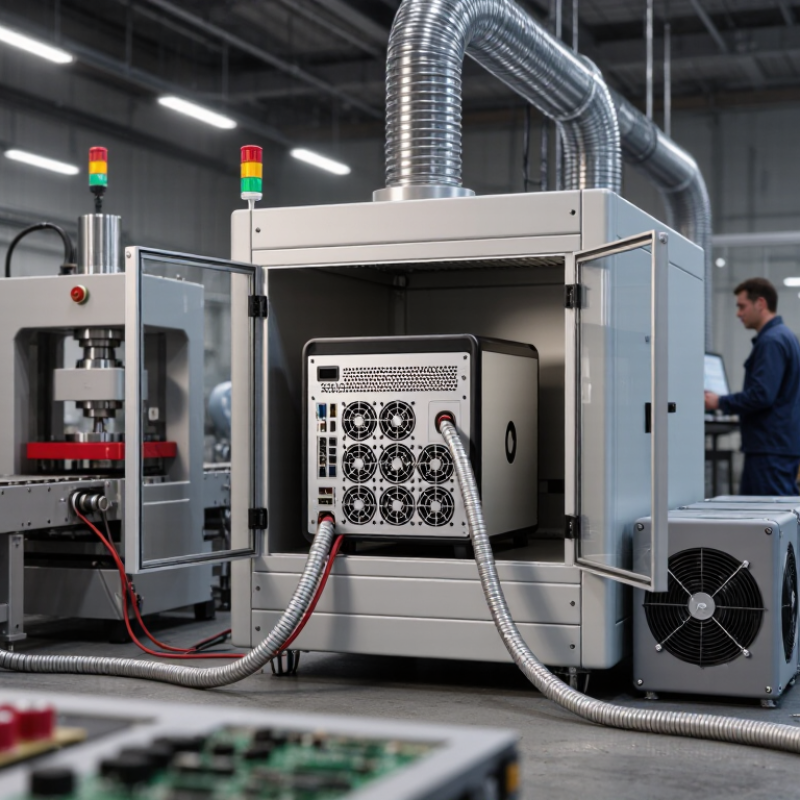
Choosing the right Industrial Pc starts with its job, not its processor. Will it control a conveyor, display machine data, or run vision software? Define the required response time, storage, operating system, and connection types before comparing specifications. A control cabinet may need dual Ethernet ports, isolated serial interfaces, or digital I/O. A thin office-style computer can fail quickly in that setting.
The operating environment deserves equal attention. Measure actual heat near the installation point, rather than trusting room temperature. Dust, oil mist, vibration, condensation, and electromagnetic noise can change the selection. IEC 60529 ratings help describe enclosure protection, while IEC 60068 testing methods support evaluation under vibration and temperature stress. Deloitte’s 2024 Smart Manufacturing and Operations Survey found that 86% of respondents viewed smart manufacturing as important for competitiveness. That ambition still depends on hardware that survives the plant floor.
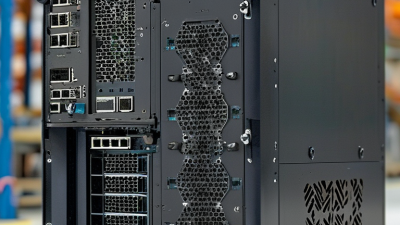
Look closely at lifecycle needs. Industrial systems often operate for seven years or longer, so planned availability matters. Industry research from VDC Research repeatedly highlights long product lifecycles as a key industrial computing requirement. Ask for documented temperature ranges, shock testing, repair procedures, and software support periods. Do not overbuy blindly. A fanless unit may reduce dust intake, but passive cooling can limit performance in a hot enclosure. I have seen specifications look excellent until cable clearance and service access were checked. That mistake is easy to repeat.
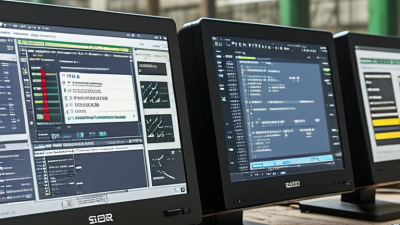
When choosing an industrial computer, define the workload before comparing processors. An Industrial Pc Hmi panel may only display trends and alarms. A vision station needs much more processing power. List every task, including data logging, camera analysis, protocol conversion, and remote access. Then record response-time targets for each task. A screen that reacts slowly can disrupt an operator’s decisions.
Test the processor with realistic software, not only published specifications. Run the HMI, database, and control services together. Check performance during peak production, not during an empty shift. Keep processor usage below its maximum level. A practical reserve of 20 to 30 percent allows for future software updates. This figure is not universal. Your actual workload may prove otherwise.
Memory requirements depend on application size and multitasking. Start with the operating system, HMI runtime, database, and diagnostic tools. Add extra capacity for temporary data and maintenance utilities. Insufficient memory often causes pauses that look like network failures. Storage also needs careful planning. Select enough capacity for applications, system recovery files, and several months of production records. Estimate daily data growth in gigabytes. Then test storage speed during simultaneous logging and report generation. A rugged solid-state drive is often suitable, but endurance ratings still require attention. Perform a pilot test for at least 24 hours. Watch temperatures, memory usage, disk writes, and recovery behavior after an unexpected shutdown. Data sheets help, but measured evidence should guide the final decision.
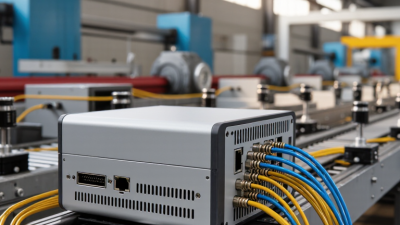
Industrial PC selection often starts with processing power, but the enclosure determines daily reliability. In a factory, measure the cabinet, cable routes, airflow, and service clearance before comparing specifications. A compact box PC suits limited spaces and distributed control points. A panel PC works better when operators need a built-in display. Rackmount systems fit standardized equipment cabinets and allow easier expansion.
Mounting style affects vibration, heat, and maintenance time. Wall mounting keeps the unit visible and can shorten cable runs. DIN-rail mounting is practical for control panels with narrow vertical space. Desk or shelf mounting may be convenient during testing, but it can collect dust and block ventilation. Leave room around vents. Small gaps matter. Use vibration-resistant fasteners where motors or conveyors operate nearby. I have seen a well-rated computer fail early because its cables pulled against the ports.
Check the installation environment, not only the advertised temperature range. Dust, oil mist, moisture, and electromagnetic noise may require sealed enclosures, filtered airflow, or isolated mounting. Confirm the mounting holes, weight, orientation limits, and access to storage or memory before ordering. A design can look correct on paper and still be awkward to service. That is worth admitting. Ask technicians to simulate replacement with gloves and limited lighting. If they cannot reach the ports comfortably, choose a different form factor, even when its specifications appear less impressive.
Choosing an industrial computer starts with its connections, not its processor. In field evaluations, a reliable Ethernet port, isolated serial interface, and flexible USB layout often matter more than benchmark speed. Check protocol support for sensors, scanners, cameras, and control equipment. A connector that looks suitable may still need a specific driver or adapter.
Tip: Map every device before selecting the computer. Write down voltage, interface type, operating system, cable length, and data rate. Then test the busiest communication path under realistic conditions. An Industrial Pc Inc specification page should clearly identify supported protocols, port isolation, and driver compatibility. If those details are missing, ask for written confirmation. Guessing here becomes expensive.
Tip: Inspect expansion options with tomorrow in mind. Count available PCIe, M.2, mini-card, and storage slots. Leave room for a second network interface or a motion-control card. Confirm the power budget and cooling method after expansion. I once saw a compact system become unstable after an extra capture card was installed. The original specification was technically correct, but the complete configuration was overlooked. Device compatibility also includes mounting dimensions, display outputs, memory limits, and operating temperature. A connector may fit physically, yet fail electrically or through software support. Check vibration ratings, dust protection, and replacement availability. These practical details deserve more attention than impressive advertising claims.
Tip 1: Match the Industrial Aio Pc to its actual workload. A factory dashboard needs different protection than machine-vision processing. Tip 2: Check the operating temperature range, not only the storage range. A sealed computer beside a furnace may still overheat internally. Tip 3: Review thermal derating at peak CPU load. Tip 4: Prefer solid-state storage where vibration and shock are common. Moving parts can become weak points.
Tip 5: Read the complete IP rating. Under IEC 60529, IP65 means dust-tight protection and resistance to water jets. It does not guarantee protection against condensation, oils, or high-pressure cleaning. Tip 6: Confirm the enclosure material and gasket quality. A narrow door seal can collect dust like a thin grey line. Tip 7: Check vibration and shock test methods, including frequency, duration, and acceleration. “Industrial grade” is not a sufficient specification. The IEC 60068 environmental testing series provides a stronger reference. Tip 8: Verify fanless cooling carefully. It reduces moving parts, but a clogged heat sink still traps heat.
Tip 9: Compare protection requirements with plant conditions. The World Economic Forum’s Global Lighthouse Network reports that leading factories increasingly combine connected equipment with real-time monitoring, increasing the need for reliable edge computing. Tip 10: Request test reports, warranty limits, and field failure data. IBM’s Cost of a Data Breach Report 2024 places the global average breach cost at 4.88 million dollars, so physical security deserves attention too. A lockable chassis, controlled ports, and secure boot may matter more than a fashionable specification. I would still retest after installation, because laboratory ratings rarely capture every factory surprise.
10 Tips for Choosing the Right Industrial PC
Manageability affects every service visit. Look for centralized inventory, remote diagnostics, health alerts, and clear audit logs. A technician should identify a failed storage drive without opening a hot cabinet. Confirm whether remote access still works during network interruptions. Check operating temperature, vibration tolerance, dust protection, and mounting options. These details often matter more than impressive processor speed. Request real maintenance records, not only laboratory specifications.
Security requires more than a password. Choose systems supporting secure boot, signed firmware, role-based access, encrypted storage, and controlled patching. Verify how updates are tested before reaching production equipment. Ask whether logs can be exported for audits and incident reviews. Support quality also deserves close inspection. Review warranty length, repair procedures, spare-part availability, and guaranteed response times. A helpful support engineer can prevent hours of production loss.
Total ownership cost includes installation, energy use, software licenses, training, downtime, and replacement parts. Compare the expected cost over five years, not just the purchase invoice. Test one unit beside actual machinery, during heat, dust, and peak workload conditions. Record boot time, remote response, and recovery behavior. No checklist is perfect. We once underestimated cable access, creating unnecessary maintenance work. Leave room for that kind of mistake. Reliable documentation, realistic testing, and transparent lifecycle commitments usually reveal the stronger investment.
| No. | Evaluation Dimension | What to Check | Recommended Evidence or Specification | Suggested Weight | Priority |
|---|---|---|---|---|---|
| 1 | Define the Industrial Workload | Confirm whether the system will run machine control, SCADA, HMI, vision inspection, data collection, edge analytics, or multiple applications. | Document CPU utilization, memory demand, storage throughput, graphics requirements, software dependencies, and expected workload growth. | 12% | Critical |
| 2 | Verify Environmental Durability | Assess operating temperature, humidity, dust, vibration, shock, electrical noise, and installation location. | Require published operating-temperature limits, vibration and shock test results, ingress protection where applicable, and fanless or filtered cooling options when needed. | 12% | Critical |
| 3 | Check Industrial Connectivity | Match the available ports and expansion options with sensors, controllers, cameras, displays, storage devices, and plant networks. | Create a port matrix covering Ethernet speed, serial interfaces, USB, display outputs, fieldbus needs, wireless requirements, and expansion slots. | 10% | High |
| 4 | Measure Remote Manageability | Determine how easily administrators can monitor health, update software, diagnose faults, and manage devices at remote sites. | Look for remote power control, hardware monitoring, centralized inventory, alerting, secure remote access, and update automation. | 12% | High |
| 5 | Evaluate Security Controls | Review protection against unauthorized booting, malware, credential theft, network intrusion, and unapproved software changes. | Check secure boot, firmware protection, TPM support, BIOS access controls, operating-system hardening, disk encryption, and security-update procedures. | 14% | Critical |
| 6 | Confirm Lifecycle Stability | Reduce redesign risk caused by short product availability or unexpected component substitutions. | Request a published product lifecycle policy, change-notification process, revision control, and long-term availability commitment. | 10% | High |
| 7 | Compare Technical Support | Assess response quality before and after deployment, including troubleshooting, configuration, and integration support. | Compare support hours, service-level targets, escalation paths, documentation quality, spare-unit procedures, and field-service coverage. | 10% | High |
| 8 | Calculate Total Cost of Ownership | Include costs beyond the purchase price over the planned operating period. | Calculate hardware, software licenses, integration, installation, energy, maintenance, downtime, spare parts, support, migration, and disposal costs over 3–5 years. | 12% | Critical |
| 9 | Validate Reliability and Redundancy | Determine the consequences of hardware failure and the time required to restore production. | Review storage redundancy, replaceable components, backup and recovery methods, watchdog functions, spare-unit strategy, and tested recovery time. | 5% | High |
| 10 | Run a Proof-of-Concept Test | Verify real-world performance and compatibility before purchasing a production quantity. | Test the actual software stack, peripherals, network load, thermal behavior, boot recovery, remote management, security controls, and installation workflow. | 3% | Required |
| Total Suggested Evaluation Weight | 100% | — | |||
Start with the actual job. It may control a conveyor, display alarms, or analyze camera images. Record response times, storage needs, operating systems, and connection types. A thin office computer may fail in a control cabinet.
Measure heat beside the installation point, not across the room. Check dust, oil mist, vibration, condensation, and electromagnetic noise. A cabinet can feel clean while internal dust slowly builds. I would recheck conditions during the hottest production period.
Review enclosure protection ratings and environmental test evidence. Check documented resistance to vibration, temperature changes, and shock. Ask for repair procedures and software support periods. Attractive specifications are not enough.
Plan for systems operating seven years or longer. Confirm expected product availability, replacement options, and support duration. A replacement that changes connectors can create unnecessary downtime. This detail is easy to overlook.
Define every workload before comparing processors. Include the HMI, database, camera analysis, logging, protocol conversion, and remote access. Test realistic software together. Peak production matters more than an empty shift.
Keep about 20 to 30 percent reserve when practical. This supports future updates and temporary workload increases. The figure is not universal. Your pilot test may show a different result.
Include the operating system, HMI runtime, database, diagnostics, and temporary files. Estimate production data growth in gigabytes each day. Select storage for recovery files and several months of records. More capacity alone does not guarantee reliability.
Run the system for at least 24 hours. Monitor processor load, memory use, temperatures, disk writes, and recovery after a sudden shutdown. Test simultaneous logging and report generation. Data sheets help, but measured evidence should decide.
Choosing the right Industrial Pc begins with a clear understanding of its purpose and operating environment. Consider where the system will be installed, the workload it must handle, and the environmental conditions it may face. Define suitable requirements for processing power, memory, and storage, then select a form factor and mounting style that fit the available space and installation method. It is also important to review connectivity, expansion capacity, and compatibility with existing devices and equipment.
Long-term reliability depends on more than basic performance. Check the system’s durability, operating temperature range, and protection rating to ensure stable operation in demanding conditions. You should also evaluate remote management features, security controls, technical support, warranty coverage, and upgrade flexibility. By comparing both initial pricing and total ownership costs, organizations can choose an Industrial Pc that delivers dependable performance, easier maintenance, and lasting value.