A Rackmount Industrial Computer isn’t just a computer housed in a metal case. It’s actually a key part of a bigger system, often installed right next to switches, drives, and power equipment inside a packed-out cabinet. And let’s be honest—heat builds up pretty quickly, dust can sneak in, and a loose cable? That can totally throw a wrench in the production line. So, when you're choosing a system, it’s more about looking past just processor speed and price. You’ve gotta consider the whole package.
Andy Grove, the legendary former CEO of Intel, once said, “Only the paranoid survive.” Now, that wasn’t specifically about rackmount computers, but it’s a pretty good reminder to think about reliability. You really should plan for the conditions that could cause issues. Think about operating temperature, airflow, vibration resistance, power inputs, and whether you’ll need room for expansion. For example, a two-unit server might look perfect on paper, but in practice, it could leave you with no space for easy maintenance or cable bending. Details matter—big time.
This guide is here to help you compare different chassis sizes, CPU options, memory, storage, and connectivity based on actual industrial workloads. We also cover things like fanless designs, remote monitoring capabilities, and whether parts will still be available down the line. When you’re picking one, ask yourself: how will it be mounted? Who’s gonna maintain it? What happens if a part fails? The answers to these questions can definitely influence what specs you go with. Sometimes, a simpler processor with solid support might actually be smarter than chasing after the fastest system with uncertain parts availability. There’s no one-size-fits-all solution here—the right rackmount computer is the one that actually fits your environment, workload, and maintenance plans, not just the specs listed on a datasheet.
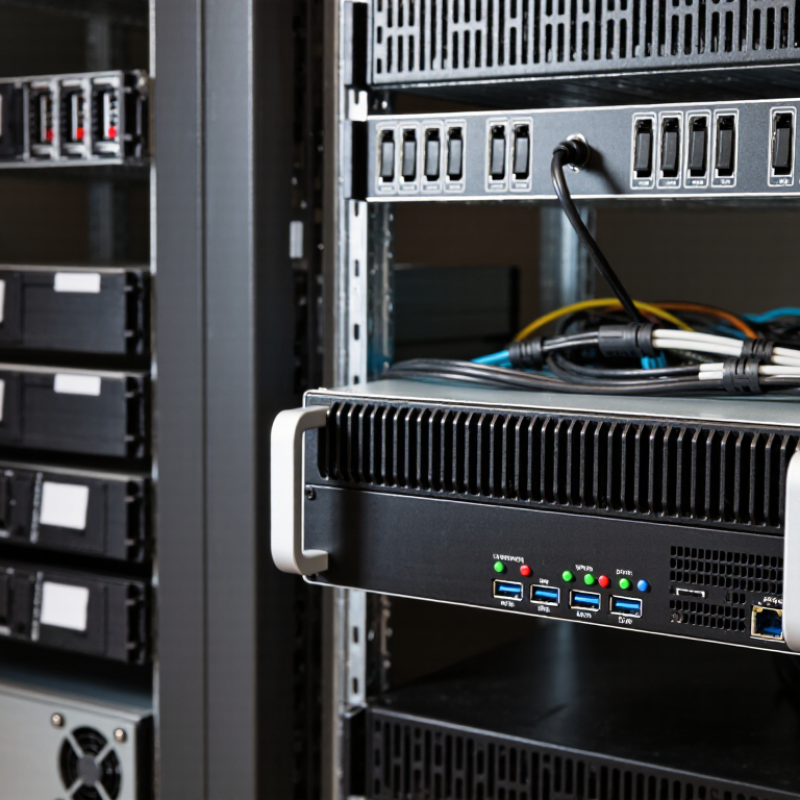
Define the Application and Operating Requirements
Before choosing a rackmount industrial computer, describe the job it must perform. Will it collect sensor data, run machine-vision software, or control a production line? List the applications, expected data rates, and any graphics or processing demands. A computer that handles today’s workload may struggle when cameras or software are added later.
Heat matters. Record the ambient temperature near the rack, not just the room temperature. Note vibration, dust, moisture, and available airflow. A cabinet beside a furnace or a dusty conveyor needs different protection and cooling from a clean control room. I have seen equipment run reliably on a test bench, then overheat once installed in a crowded rack. Bench conditions can mislead.
Define how the system will connect and operate. Count Ethernet ports, serial devices, storage needs, and expansion cards, then check that the rack has enough depth and power capacity. For an Industrial Pc Rackmount computer, confirm its supported operating temperature and mounting dimensions against the actual site. Decide whether maintenance staff can reach the front and rear panels without moving nearby equipment. Measure twice. Also specify acceptable downtime, backup procedures, and how updates will be tested. These details are easy to overlook, especially when the application seems simple.
Assess Environmental and Installation Conditions
Choosing a rackmount Industrial Computer starts with the room it must survive, not the processor you prefer. Check ambient temperatures during peak operation, not only when the facility is quiet. Dust, oil mist, vibration, and moisture can enter through vents or cable openings. A cabinet near stamping equipment may need stronger shock protection than a clean server room. Small differences matter. Compare the unit’s operating range and airflow requirements with measured site conditions.
Then inspect the rack and service area. Measure usable depth, rail spacing, and clearance behind the unit before ordering. Leave room for power plugs, network cables, and a technician’s hand. Check available power and grounding, and confirm fans can draw cool air without recirculating exhaust. If maintenance requires removing neighboring equipment, the layout may look workable but become costly later. One blocked rear connector can disrupt an otherwise neat installation. Recheck assumptions against the actual rack; drawings can miss awkward details.
Tips: Photograph the rack, record intake temperature, and verify cable reach with a simple mock-up. Test access before installation.
Select the Rack Size and Mechanical Form Factor
Rack size is measured in rack units, but the number alone does not tell you whether a computer will fit. Measure the chassis height, depth, and width, then compare them with the cabinet’s usable space. A 4U enclosure may clear the front rails yet collide with rear cabling or a closed door. Check rail depth and leave room for power leads, airflow, and service access. Small clearances matter.
The mechanical form factor should match both the installation and the work inside the system. A short-depth chassis suits shallow cabinets, while a deeper enclosure may provide room for expansion cards and larger cooling fans. For a Computer Industrial system, confirm that the mounting rails support its weight and that front-to-back airflow is not blocked by nearby equipment. Consider how a technician will replace a drive or reach a filter without removing adjacent hardware. I’ve seen space calculations look fine on paper, then fail when cables bend more sharply than expected. That detail is easy to overlook. Check the actual cabinet, not just its published dimensions.
Match Processing, Memory, and Storage to Workloads
Estimate the heaviest task the computer will run, not just its average workload. A control system may use little CPU until camera feeds, machine vision, or analytics jobs arrive together. Then processor load can jump. Select a CPU that can handle those peaks while leaving capacity for updates and background services. More cores are not automatically better. Check whether the software can use them, and confirm that the chassis can keep the processor cool under sustained load.
Memory requirements rise with the number of active applications and the size of their data. For example, an inspection system processing several high-resolution images may need more memory than a basic controller. Leave headroom to avoid slowdowns when tasks overlap. This estimate is imperfect; actual usage should be checked during testing. Storage also needs to match the job. A system that mainly stores configuration files has different needs from one logging sensor readings all day. Consider capacity, write endurance, and how quickly data must be retrieved. Fast storage helps, but it cannot compensate for a processor or memory bottleneck. Include room for growth, though not every workload will need it.
Verify I/O, Expansion, and Network Connectivity
A rackmount industrial computer should match real signal paths, not just processor specifications. Count every device: PLCs, barcode readers, cameras, drives, and service laptops. Map each to a physical interface, such as serial, USB, digital I/O, or fieldbus. Adapters add failure points and consume space. Ports are not interchangeable. Keep a spare for commissioning or an added sensor. IDC’s December 2023 Worldwide Edge Spending Guide projected $232 billion in global edge spending for 2024, with 15.4% annual growth. That forecast signals expanding edge workloads, not rack-computer demand specifically.
Check available PCIe slots, card height, and chassis clearance before choosing expansion hardware. A slot is no help if a card blocks airflow. For networking, verify link speed, copper or fiber media, and whether separate interfaces are needed for control and data traffic. IoT Analytics estimated 18.8 billion connected IoT devices worldwide by the end of 2024. Device counts alone cannot determine bandwidth, so calculate traffic from cameras, sensors, and data logging intervals. I would leave room for growth; sensor counts often change after installation. Don’t rely on a port list alone. Test the proposed configuration with the actual peripherals and cables.
Compare Reliability, Serviceability, and Lifecycle Support
A rackmount industrial computer should be judged by how it performs after months of continuous operation, not just during a quick bench test. In a control cabinet, heat can build near the rear rails, while vibration may loosen poorly secured connections. Check operating-temperature ratings, shock tolerance, and cooling design against conditions at the installation site. Dust matters. A replaceable filter and accessible drive can make routine service easier without removing neighboring equipment. Ask how long spare power supplies, storage devices, and compatible memory will remain available. An Industrial Pc Computer may meet today’s workload but become costly if one unavailable part forces a full replacement.
Serviceability is visible in the details. Can a technician reach the power supply without pulling the whole unit? Are status lights easy to see in a dim equipment room? Clear wiring documents and standard fasteners can save time during a night shift. Reliability figures are useful, but they cannot replace checking whether test conditions resemble real heat, vibration, and operating hours. Lifecycle support should cover firmware updates, repair procedures, and realistic response times throughout deployment. Ask what happens when a component is discontinued. This is often overlooked. No design is perfect; weigh convenient access against rack space, and revisit that choice before ordering.
FAQS
List its applications, data rates, and processing needs. Include future cameras or software. Today’s workload may grow.
Measure temperature beside the rack during peak operation. Compare it with the computer’s operating range. Room readings can mislead.
Check for dust, oil mist, moisture, and vibration. A dusty conveyor needs different protection from a clean control room. Small differences matter.
Measure usable depth, rail spacing, and rear clearance. Allow space for plugs, cables, and a technician’s hand. Measure twice.
Map each PLC, camera, scanner, and drive to a physical interface. Count serial, USB, network, and digital I/O connections. Ports differ.
Confirm the number of PCIe slots, card height, and chassis clearance. A slot may be unusable if a card blocks airflow.
Check link speed, cable type, and whether control traffic needs a separate interface. Estimate traffic from cameras and logging intervals. Device counts alone aren’t enough.
Test front and rear access before installation. Photograph the rack and mock up cable reach. I might still miss an awkward connector, so recheck the layout.
Set downtime limits, backups, and update-testing steps. Keep a spare interface or port for commissioning. Plans can change.
Conclusion
Choosing a Rackmount Industrial Computer begins with understanding the application and its operating requirements, including the software, workload, and expected performance. Consider the installation environment as well: temperature, dust, vibration, available space, and power conditions can all influence which system is suitable. Confirm the rack size and mechanical form factor so the computer fits securely and can be installed and maintained conveniently.
Next, match the processor, memory, and storage to current workloads while allowing reasonable capacity for future needs. Check that the available I/O ports, expansion options, and network connections support the equipment and communication standards used in the system. Finally, compare reliability features, ease of servicing, parts availability, and lifecycle support. Evaluating these factors together helps you select a system that fits both the technical demands of the application and the practical realities of its installation.