Leave Your Message
0%

Picking out a Compact Industrial Computer isn’t just about stacking up processor numbers or checking specs. Honestly, the factory floor isn’t your typical quiet office—dust sneaks in, vibrations shake things loose, and those hot summer days put thermal designs to the test. The right system has to keep collecting data even when the going gets tough—that’s where a lot of folks end up overly optimistic about their choices.

Jim Liu of Advantech often brushes off the hype and says, “The edge is where data meets action.” And honestly, that hits home here. These compact computers sit right next to cameras, sensors, PLCs, and all sorts of machinery. They need to process data fast, communicate reliably, and last for years without fussing. Sure, performance is important, but stability is king. You could have a beefy processor, but if the serial ports aren't there, cooling isn’t up to par, or the supply chain’s shaky, it’s all for nothing.

When you’re evaluating options, start with the actual application, not just the flashy brochures. Think about the operating temperature range, shock and vibration specs, ingress protection—basically, all those harsh environment ratings. Consider how you’ll mount the unit and what kind of workload it needs to handle. Also, tally up how many Ethernet, USB, serial, digital I/O, or display connections you need. And don’t forget the details—can technicians swap out storage drives without ripping the whole cabinet apart? Does the manufacturer offer long-term BIOS support? And will Windows IoT, Linux, or whatever platform you’re eyeing run smoothly?

All these little questions matter—they’re what separate a shiny prototype from a real-deal, dependable setup. However, no checklist can cover everything. Real-world conditions often throw curveballs. A fanless design might mean less maintenance, but it could also mean throttling under heavy heat. More ports offer extra flexibility, sure, but they might consume more power. Brands like Advantech, Kontron, and Axiomtek are all solid choices, but they each shine in different areas. That’s why hands-on testing, honest risk assessments, and maybe even a small pilot project go a long way. Fancy specs are nice, but what really counts is proven reliability.

So, take your time and look beyond the specs—stability and durability are what count in the long run.
How to Choose a China Compact Industrial Computer?

Define the Role of a Compact Industrial Computer

How to Choose a China Compact Industrial Computer?

Define the Role of a Compact Industrial Computer

A compact industrial computer is not merely a small desktop in a metal case. Its real role depends on the machine, workspace, and operating conditions around it. In a factory, it may collect sensor data, display production instructions, manage cameras, or control a communication gateway. These tasks require different processors, memory levels, storage types, and connection options.

Define the job before comparing specifications. A computer that only records temperature needs less processing power than one analyzing multiple camera streams. Check the required ports carefully, including serial, Ethernet, USB, digital input, and display connections. Power recovery also matters when a cabinet loses electricity. That sounds simple.

In practical installations, dust, vibration, heat, and limited cabinet space can change the decision. A fanless design may reduce maintenance, but it can also require careful thermal planning. I have seen compact systems pass a desk test and struggle inside a warm enclosure. The mistake was not the computer alone. The surrounding airflow was ignored.

For a China-sourced compact industrial computer, request clear operating temperature data, test records, lifecycle information, and repair procedures. Confirm whether the supplier can provide stable firmware and technical documentation. A neat specification sheet may still hide weak port protection or uncertain storage endurance. Ask how the unit behaves after repeated restarts. Then test it with the actual cables, sensors, and software. Reliability is proven in the working environment, not only in a catalog.

When choosing a compact industrial computer, define its role by the surrounding environment first. The IP code is based on IEC 60529: the first digit indicates protection against solids and dust, while the second digit indicates protection against water. Higher values indicate stronger enclosure protection, but they do not replace checks for temperature, vibration, shock, expansion, and required interfaces.

Match Processing Power to Your Industrial Workload

Choosing a Compact Industrial Pc starts with the workload, not the enclosure. A camera inspection line may need fast CPU inference, while a pump controller may require only modest processing. IoT Analytics reported 16.6 billion connected IoT devices worldwide in 2023. That growth pushes more filtering and analysis toward the factory edge.

Match processor cores, memory, and storage to real operating conditions. For machine vision, select a multi-core processor with sufficient graphics or AI acceleration. Leave headroom for image preprocessing, database logging, and future software updates. More cores are not automatically better. A basic PLC gateway can waste energy with an oversized processor. I have seen systems slow down because storage, not the CPU, became the bottleneck.

Deloitte’s 2024 Smart Manufacturing and Operations Survey found that 86% of manufacturers consider smart manufacturing important for competitiveness. This makes reliable local computing increasingly practical.

For high-temperature cabinets, choose industrial-rated components and fanless cooling where dust is heavy. Check thermal throttling, shock resistance, ECC memory options, and long-term operating temperature ratings.

A five-second restart may be unacceptable beside a moving conveyor. Test the computer with the actual cameras, protocols, and application software. Synthetic benchmarks can mislead. Your workload may behave differently. Allow at least 25% processing capacity for peak data bursts, although that margin should be validated during factory trials.

Select the Right Form Factor and Installation Method

Choosing a China compact industrial computer starts with its physical role, not its processor. Measure the cabinet, cable bend radius, and space around ventilation openings. A palm-sized box suits limited enclosures, while a panel-mounted unit keeps the display and controls together. For factory cabinets, DIN-rail mounting saves shelf space and supports cleaner wiring. Wall mounting works well for service areas, but it needs a rigid backplate. Leave room for hands.

Installation conditions should guide the form factor. Check temperature range, humidity protection, vibration resistance, and the enclosure’s ingress rating. A dusty production line may require a sealed chassis, while a clean control room may benefit from easier access. Review the mounting holes and fasteners before ordering; small mismatches can delay installation. Cable direction matters too. Side-facing ports may collide with cabinet doors or nearby equipment. During commissioning, I prefer testing airflow with the computer under its real load, not on a workbench. That test is less comfortable. It is more honest.

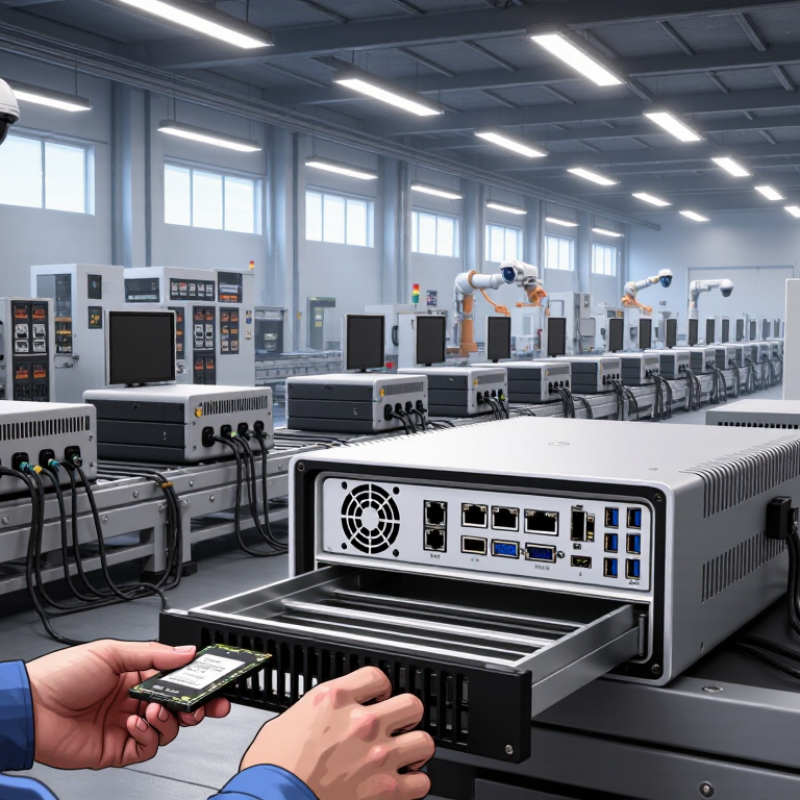
Consider maintenance from the beginning. A removable storage tray, accessible power input, and labeled ports can reduce service time. However, compact designs often sacrifice expansion space. I have seen teams choose the smallest enclosure, then struggle with extra serial ports or wireless modules. Plan those additions early. Use an installation drawing with dimensions, connector clearances, grounding points, and service access. Confirm the operating system, mounting hardware, and environmental ratings through the supplier’s technical documents.

Evaluate Industrial Durability and Environmental Protection

Choosing a China compact industrial computer starts with its working environment, not processor speed. Compact Embedded Pcs may operate beside motors, conveyors, coolant, and airborne metal dust. Ask for measured ratings, not marketing adjectives. IEC 60529 defines IP65 as dust-tight protection against water jets. IP67 adds temporary immersion protection, normally up to one metre for 30 minutes under test conditions. These ratings describe the enclosure, not every connector or cable. That distinction matters. A sealed front panel can still fail through an exposed USB port.

Vibration and shock need separate evidence. IEC 60068-2-6 covers sinusoidal vibration testing, while IEC 60068-2-27 covers shock. Request test profiles, frequency ranges, acceleration, duration, and mounting direction. A certificate without those details is weak evidence. Confirm operating temperatures, storage ranges, humidity limits, and altitude assumptions. A computer rated to 60°C may throttle earlier. Measure cabinet temperature, not only room temperature. The U.S. Department of Energy’s Industrial Decarbonization Roadmap identifies heat, dust, and vibration as recurring industrial challenges. The IEA Energy Efficiency 2023 report estimates industry uses about 37% of global final energy. Fanless cooling, low-power processors, and automatic sleep modes can reduce heat and energy use. However, passive cooling is not always better; clogged fins can silently raise internal temperatures. I prefer pilot testing with thermocouples, vibration logging, and power measurements. It may reveal an embarrassing assumption before production.

Check Connectivity, Expansion, and Device Compatibility

Choosing a China-sourced Industrial Computer requires more than checking processor speed. Connectivity decides whether the unit fits your existing factory network. Confirm dual Ethernet ports, isolated serial interfaces, USB versions, and support for Modbus TCP, CAN, or EtherCAT. IDC’s Worldwide IoT Spending Guide projects global IoT spending to reach about $1.6 trillion by 2027. That growth increases the cost of weak interfaces. A single missing protocol can force an external gateway.

Expansion and compatibility deserve equal attention. Check whether the chassis accepts mini PCIe, M.2, SIM, or PCIe modules. Measure the available space carefully. A compact box may leave no room for cable bends. Verify voltage input, operating temperature, storage type, and mounting holes. Also test the operating system, drivers, display outputs, and camera compatibility before ordering samples. Deloitte’s 2024 Smart Manufacturing and Operations Survey found that 86% of manufacturers view smart manufacturing as important for competitiveness. Yet compatibility is often checked too late.

Tips: Request a port map, wiring diagram, and five-year component availability statement. Test the computer with your PLC, barcode reader, and field monitor. Do not trust “universal” compatibility. Confirm it in writing. A small pilot run is safer than a large purchase. I would also inspect thermal behavior at 40°C, because laboratory results can feel overly optimistic. Leave expansion space for one future module. You may not need it today.

Compare Operating Systems, Support, and Total Ownership Cost

Choosing a China compact industrial computer should begin with the working environment, not the casing. In factory deployments, operating system decisions often determine maintenance effort. A rugged Computer Industrial unit may support Windows, Linux, or a customized embedded system. Windows can simplify commercial software integration. Linux often provides flexible licensing and deeper system control. Embedded systems may boot quickly, but updates require careful planning. Test drivers, communication protocols, and recovery procedures before purchase.

Support quality directly affects production risk. Ask whether engineers provide remote diagnostics, replacement guidance, and clear firmware records. Confirm response times across your operating region. A useful supplier should explain warranty limits without vague promises. Spare units also matter when a production line cannot wait for shipping. Keep configuration files and recovery images in a controlled location. Small details save hours.

Total ownership cost includes more than the invoice. Calculate software licenses, installation labor, energy use, training, storage, repairs, and disposal requirements. A lower purchase price may become expensive after repeated downtime. I once underestimated the cost of custom driver maintenance. That assumption was wrong. Request a five-year cost estimate using your actual workload, temperature range, and service schedule. Then compare the numbers with documented test results, not sales language.

FAQS

What should I evaluate before choosing a compact industrial computer?

Start with the working environment, not processor speed. Check motors, conveyors, coolant, dust, vibration, and cabinet temperature. Measure real conditions when possible. Marketing descriptions can mislead.

What do IP65 and IP67 ratings mean?

IP65 means the enclosure resists dust and water jets. IP67 usually supports temporary immersion up to one metre for thirty minutes. These ratings may not cover every connector or cable. An exposed USB port can still fail.

How can I verify vibration and shock durability?

Request detailed test profiles for vibration and shock. Check frequency ranges, acceleration, duration, and mounting direction. A certificate without test details provides weak evidence. That matters.

Is a wide operating temperature rating reliable?

Not always. A computer rated for 60°C may reduce performance earlier. Measure cabinet temperature instead of relying on room temperature. Use thermocouples during a pilot test. The result might surprise you.

Is fanless cooling always the best option?

Fanless designs can reduce dust intake, noise, and energy use. However, clogged cooling fins can quietly increase internal temperatures. Passive cooling is not automatically safer. I once trusted it too much.

Which operating system should an industrial computer use?

Windows may simplify commercial software integration. Linux can offer flexible licensing and deeper system control. Embedded systems may boot quickly but require careful update planning. Test drivers, communication protocols, and recovery procedures before deployment.

What support should I request from a supplier?

Ask about remote diagnostics, replacement guidance, and firmware records. Confirm response times in your operating region. Review warranty limits carefully. Keep recovery images and configuration files in controlled storage.

How should I calculate total ownership cost?

Include software licenses, installation labor, energy, training, storage, repairs, and disposal. Also estimate downtime and spare-unit costs. A cheaper computer may cost more after repeated failures. Use a five-year estimate based on actual workload and service conditions.

Conclusion

Choosing the right Compact Industrial Computer begins with clearly defining its role in your production, automation, monitoring, or edge-computing system. Consider the software, data volume, response time, and workload intensity to determine the appropriate processor, memory, and storage capacity. Avoid selecting more performance than necessary, but leave enough room for future upgrades. The computer’s physical design is equally important, including its size, mounting method, cable access, and compatibility with available cabinet or machine space.

Reliability should be evaluated according to the operating environment. Check resistance to dust, vibration, temperature changes, moisture, and continuous operation. Review available ports, network interfaces, expansion options, and compatibility with sensors, controllers, displays, and other industrial devices. Finally, compare operating system support, driver availability, maintenance services, warranty conditions, and long-term energy and replacement costs. A well-balanced choice should deliver dependable performance, easy integration, and a reasonable total cost of ownership throughout its service life.


Isabella

Isabella

Isabella is a dedicated marketing professional with a deep passion for technology and innovation. Since joining YDSTECH, she has made it her mission to highlight the company’s commitment to independent research and development in the industrial computer sector. With a thorough understanding of the......
Previous How to Choose a Rackmount Industrial Computer?